 Comparison
How to Choose the Best Subcontractor Management Software
Last Updated: November 2, 2026
Quick Summary
Subcontractor management software is a system that schedules subcontractors, tracks their jobs, and handles their paperwork and payments in one place. For small trade businesses, the best choice depends on company size and trade, and the most important test is whether the tool handles a realistic week of scheduling, conflicts, and reschedules.
- Give every job one owner, one schedule, and one record to avoid dropped work.
- Test scheduling tools with a crowded week that includes a deliberate conflict and a reschedule.
- Confirm whether subcontractors can accept, decline, or request changes from their phone.
- Check that invoices link to individual jobs and that expiring insurance certificates trigger reminders.
- Request written quotes for your actual user count, and ask about migration and onboarding costs.
Table of Contents
- Why Subcontractor Management Software Matters for Small Trade Businesses
- How to Effectively Manage Subcontractors Without Losing Track of Jobs
- Subcontractor Scheduling Software: What to Look For
- Subcontractor Payment and Document Management Software Compared
- Best Subcontractor Management Software for Small Business: Side-by-Side Comparison
- Who Should Pick Which Tool: Role-Based Recommendations
- Start Your Free Trial and Map Your First Subcontractor Workflow
- Frequently Asked Questions
Why Subcontractor Management Software Matters for Small Trade Businesses
Subcontractor management software is the system a trade business uses to schedule subcontractors, track their jobs, and handle their paperwork and payments in one place. For a small plumbing, HVAC, or electrical company, the job usually lives across a phone, a paper calendar, a spreadsheet, and a text thread. The cost of running this kind of operation manually is easy to underestimate.
Most small trade owners start with a simple setup that works for three or four people. It stops working once subcontractors start overlapping, invoices pile up, and nobody is sure which insurance certificate is current. A single tool that connects scheduling, communication, and billing removes most of that friction.
The right choice depends on your size and trade, so this guide walks through what matters, what to verify, and which kind of business each option suits.
How to Effectively Manage Subcontractors Without Losing Track of Jobs
Managing subcontractors well comes down to one rule: every job should have one owner, one schedule, and one record. When those three things live in different places, jobs get dropped.
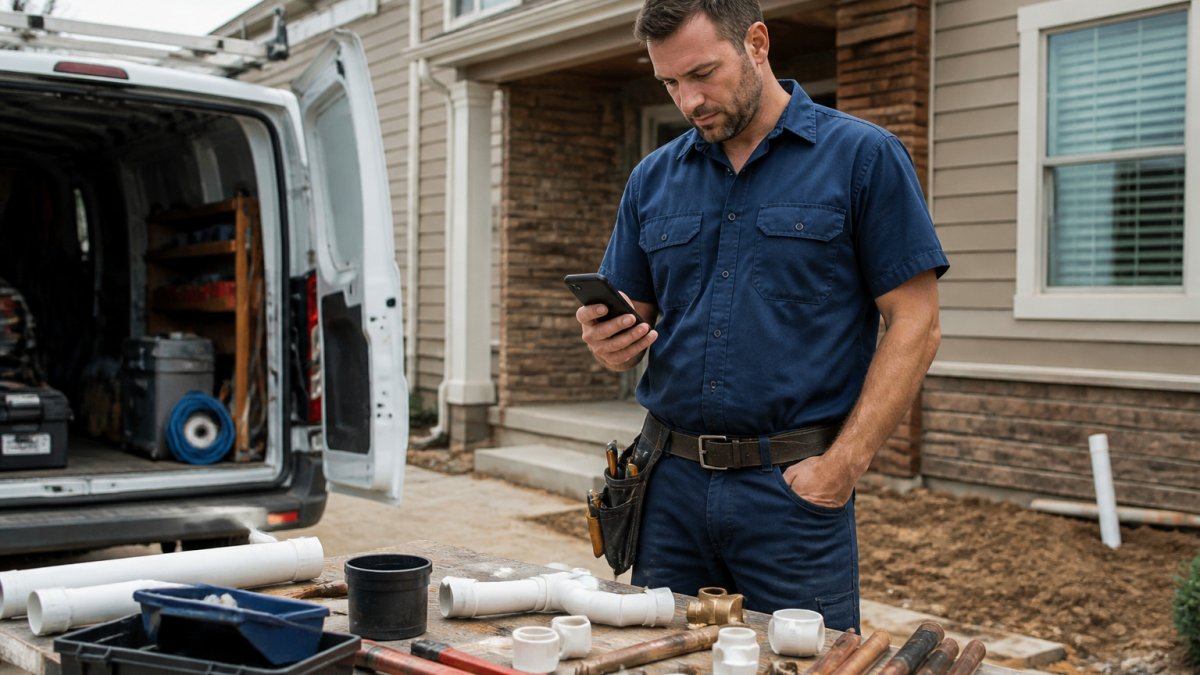
A practical process looks like this:
- Assign each job in one place. Name the subcontractor, the date window, and the customer before the crew leaves the shop.
- Confirm the schedule in writing. A text or calendar entry sent to the subcontractor prevents most missed appointments.
- Log progress on the same record. Photos, notes, and status changes belong with the job, not in someone's inbox.
- Review open jobs weekly. Look for anything stalled, unpaid, or missing paperwork.
A common mistake is relying on memory or a group text thread. Those work until a second crew is added, and then the owner becomes the only person who knows where anything is. Moving the process into a shared system is the fix.
Subcontractor Scheduling Software: What to Look For
Scheduling is where most small trade businesses feel the pain first, and it is also where generic feature lists mislead buyers. For a crew-wide view, see remodeling scheduling software for the whole crew. Every platform claims a calendar, dispatching, and notifications. What separates a tool that holds up on a crowded week from one that collapses is how it handles conflicts, changes, and the handoff between office and field.
Start with the mechanics, not the feature names:
- Conflict detection, not just a calendar view. A calendar that shows jobs side by side is table stakes. See one calendar for assigning crews and notifying customers for a concrete example. The question is whether the tool flags a double-booked subcontractor or an overlapping time window before you publish the schedule. Ask the vendor to demonstrate a deliberate conflict and show you what the system does.
- Dispatch that reaches the field. Dispatching means sending a job to a subcontractor's phone with the address, scope, customer contact, and any site notes attached. Confirm whether the sub receives a push notification, a text, or an email, and whether they can accept, decline, or request a reschedule from that message. A dispatch that requires the sub to log into a portal they never open is not dispatch.
- Change propagation. Reschedules are the real test. When a customer moves a visit, does the change flow to the subcontractor automatically, or does someone re-enter it in two places? Ask how many clicks a reschedule takes and who gets notified at each step.
- Customer notifications with control. Automatic confirmations and reminders reduce no-shows, but check whether you can edit the message, choose the channel (text vs. email), and turn notifications off for customers who find them intrusive.
- Mobile access that works offline. Field teams lose signal in basements, crawl spaces, and rural job sites. Ask whether the mobile app caches the day's schedule and job details so a sub can work without a connection and sync later.
- Multi-day and recurring jobs. Trade work often spans days or repeats (maintenance contracts, warranty visits). Verify how the tool represents a job that runs Tuesday through Thursday or recurs monthly.
A practical evaluation method: ask each vendor to load a realistic week, five or six subcontractors, two reschedules, one conflict, and a multi-day job, and walk you through it live. A clean demo with three tidy appointments is easy to stage. A crowded week with a deliberate conflict reveals whether the tool was built for real trade operations or adapted from a generic project calendar.
Watch out: a tool that schedules beautifully but cannot show a subcontractor their own upcoming jobs on a phone will push your subs back to text threads within a month, and you will be managing the schedule in two places again.
Subcontractor Payment and Document Management Software Compared
Payment and paperwork are the second pressure point. Subcontractor payments depend on invoices, and invoices depend on completed work and current documents. Insurance certificates, licenses, and signed agreements all need to be on file before a sub starts a job.
Look for software that handles:
- Invoice and payment tracking tied to individual jobs.
- Document storage with expiry reminders for insurance and licenses.
- Online payment processing, which shortens the time between finishing a job and getting paid.
Be specific when you evaluate. Ask how the tool links invoices to jobs, how it stores certificates, and whether it sends reminders before documents expire. Vague answers usually mean those features are missing or manual.
Best Subcontractor Management Software for Small Business: Side-by-Side Comparison
The table below summarizes the platforms named in the research for this guide. Pricing and feature details change often, so treat this as a starting point for your own checks.
| Platform | Best For | Pricing Visibility | Notable Strength |
|---|---|---|---|
| Tradesman | Small plumbing, HVAC, and electrical businesses | Contact for current pricing | Simple interface with fewer screens, plus scheduling, messaging, and online payments |
| Procore | Construction project teams | Contact for pricing | Project-level construction management |
| Buildertrend | Builders and contractors | Contact for pricing | Covers project and contractor management |
| Knowify | Subcontractors needing financial workflows | Contact for pricing | Job costing, progress billing, and two-way QuickBooks sync |
| Fieldwire | Jobsite coordination | Contact for pricing | Jobsite management for subcontractor coordination |
Tradesman is built for small service businesses that want a simpler interface, with scheduling, messaging, and online payment processing in one place.
Watch out: a feature list does not show how a tool behaves with your team. Trial the software with the people who will actually use it, including the crew in the field.
Pricing and Plan Limits to Verify
Pricing for these tools is not confirmed in our research, so check current plan costs directly with each vendor. Pricing often depends on the number of users, job volume, and add-on features. Before you commit, ask each vendor for:
- The price for your actual number of users, not the lowest tier.
- Any limits on jobs, users, or storage.
- Costs for add-ons such as payment processing, texting, or extra integrations.
- Whether the price includes onboarding and data migration.
Request a written quote from each vendor on your shortlist so you compare the same scope.
Who Should Pick Which Tool: Role-Based Recommendations
Most roundups recommend tools by company size and stop there. That leaves out the two questions that actually decide whether a purchase succeeds: how much effort the switch will take, and whether the people who have to use the tool every day will adopt it. The recommendations below are organized by role and paired with the implementation reality for each.
Sole proprietors who run every job themselves. The priority is speed and low friction: a simple calendar, mobile invoicing, and the ability to send a job to a sub from the truck. The risk here is overbuying: a platform built for multi-crew coordination adds screens and setup steps a one-person operation never uses. Choose the tool with the fewest steps between booking a job and getting paid.
Office managers at businesses with 1 to 10 employees. This role lives in the dispatch view and the customer conversation. Focus on dispatching, customer messaging, and one shared view of all jobs so the office manager is not the only person who knows where a crew is. Plan a short pilot with one crew before rolling out to everyone.
General contractors coordinating several subs. The priority shifts to document management, project scheduling, and cost tracking across trades. Budget time for the sub-side onboarding, because a compliance document system only works if subs actually upload current certificates.
Owners moving off legacy software. Migration effort should weigh heavily in the decision. Ask each vendor, in writing, how existing jobs, customer records, invoices, and documents will be imported, who performs the import, how long it takes, and what happens to records that do not map cleanly. Request a migration plan with dates before signing, and confirm whether onboarding and data migration are included in the quoted price or billed as add-ons.
Specialty subcontractors and small trade businesses. If you are the sub rather than the general contractor, your needs center on receiving work, documenting completion, and getting paid. Prioritize a tool that lets you accept dispatched jobs, attach photos and notes to the job record, and submit invoices tied to completed work.
Across every role, the same rule applies: match the tool to the job you need done, not to the longest feature list, and weigh the setup and adoption cost as heavily as the monthly price. A tool that takes a month to implement and that half the crew ignores is more expensive than a simpler one that everyone uses.
Start Your Free Trial and Map Your First Subcontractor Workflow
Before you choose, map one real job from start to finish: who books it, who is assigned, how the customer is notified, where the photos go, and how the invoice is paid. Run that same job through each tool you are considering. The one that handles it with the fewest steps and the least confusion is usually the right fit.
Tradesman is built for small service businesses that want scheduling, dispatching, and payments without a complicated setup. To see how it handles your workflow, get started and map your first subcontractor job.
Frequently Asked Questions
What is the best software for managing subcontractors in construction?
The best choice depends on your trade mix, team size, and whether you need heavy project management or simpler dispatching and invoicing. Shortlist two or three tools, then test scheduling, document sharing, and payment tracking with your own jobs before committing. Request current quotes directly from each vendor.
What features should subcontractor management software include?
Look for scheduling and dispatching, document storage for insurance certificates and contracts, job-level messaging, invoicing and payment tracking, and mobile access for field crews. Permissions and an audit trail matter if several people edit the same job. Integrations with your accounting software, such as QuickBooks sync, can save repeated data entry. Check how each feature works in practice during a trial rather than relying only on feature lists.
What is the best subcontractor management software for a small business?
Small trade businesses usually benefit most from tools that are quick to learn and do not require a long implementation. Tradesman is built for service businesses such as plumbers, HVAC technicians, and electricians, with a simple interface, drag-and-drop pipeline, built-in messaging, scheduling, and online payment processing. For current plan details, check the vendor website or request a quote.
How does subcontractor management software differ from construction project management software?
Subcontractor management software focuses on coordinating outside trades: scheduling their work, collecting insurance and compliance documents, tracking payments, and sharing project files. Construction project management software covers a wider scope for general contractors. Many small businesses need only the subcontractor side, so a simpler tool may fit better and cost less to run.