 How-to
Why Field Technicians Hate Complex Apps and How to Fix It
Last Updated: November 12, 2026
Quick Summary
Field technicians resist complex apps because they slow down real work. Six taps to log one part, confusing menus, duplicate data entry across several tools, and weak connectivity in basements and trucks push technicians back to paper and text messages. Simpler, single-task workflows and offline-friendly design fix most of it.
- Salesforce reports 66% of technicians experience burnout monthly, with 81% working overtime for admin tasks.
- Prometheus Group lists poor usability as one of seven root causes for mobile app resistance.
- Entering the same job in several apps causes errors and makes technicians act as human integration layers.
- Apps should support graceful offline sync so technicians can finish core tasks without signal.
- Audit one common job from first call to payment, counting steps, screens and double entries.
Table of Contents
- Why Field Technicians Push Back on Complex Apps
- Poor Usability and Confusing Interfaces
- Too Many Apps and Fragmented Workflows
- Connectivity Gaps, Slow Performance and Field Conditions
- How to Audit App Complexity in Your Field Team
- Field Technician App Adoption: Involving Technicians in the Fix
- Choosing the Best Mobile Apps for Service Technicians
- Start Your Simplification With One Workflow
- Frequently Asked Questions
Why Field Technicians Push Back on Complex Apps
Most field technicians do not hate technology. They hate software that slows them down, and complex apps are the usual culprit. When a job app takes six taps to log a part, a technician will skip the app and write on a napkin instead.
The pressure is real. Salesforce reports that 66% of technicians experience burnout monthly, and 81% work overtime at least once a month to handle administrative tasks (Salesforce report on field service management trends). When paperwork eats the evening, any extra app feels like one more chore.
Poor Usability and Confusing Interfaces
Confusing screens are the most common complaint. A technician standing in a crawl space needs one clear action, not a menu tree. Research summaries from Prometheus Group list poor usability as one of seven root causes for mobile app resistance (Prometheus Group learning center on mobile app resistance).
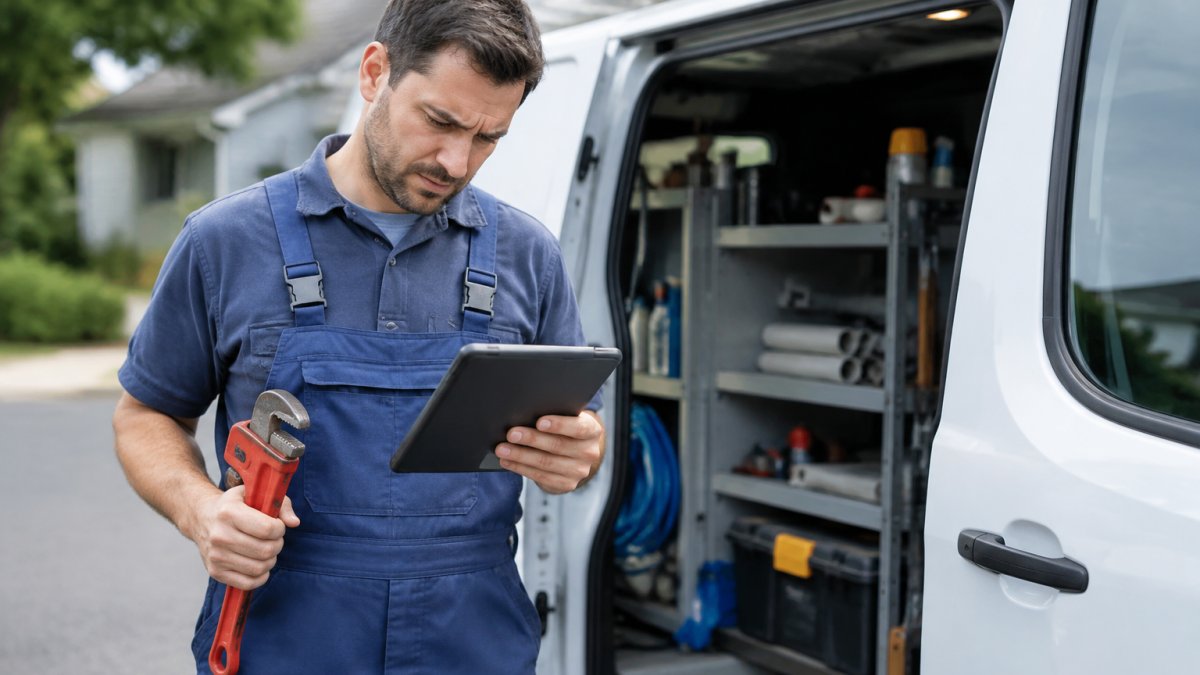
Watch out: a feature that works well in the office can fail on a phone held in one hand. Test the core task in the field, not at a desk.
Confusing screens and fragmented tools slow technicians down, and the article points to a few concrete drivers.
| Problem | Cause | Fix |
|---|---|---|
| Technicians skip the app | Six taps to log one part | Cut taps to the core action |
| Confusing screens | Menu trees instead of one clear action | Design for one task at a time |
| Duplicate data entry | Same job entered in several apps | Consolidate into one workflow |
| App fails in the field | Weak signal and no offline mode | Support graceful offline sync |
| Poor performance | Server call on every tap, heavy media | Cache locally and test on mid-range phones |
Too Many Apps and Fragmented Workflows
Fragmentation is the quiet killer of field app adoption. A typical small shop ends up with a dispatch tool, a separate invoicing or payment app, a messaging app for customers, a photo-sharing folder, and a spreadsheet the office keeps "just in case." To see which tools plumbers actually rely on for scheduling, payments, and customer requests, read what software plumbers actually use. Each tool was bought to solve one problem, and each one asks the technician to re-enter the same customer name, address, and job notes. That duplicate entry is where errors and resentment start.
Here is what fragmentation usually looks like in practice:
- The same job is entered in two or three places, and the versions drift apart by mid-morning
- Photos live in one app while the invoice lives in another, so nobody can prove what was installed
- Office staff and technicians see different versions of the job status
- Nobody is sure which system is the record of truth, so people keep a private backup
- The technician becomes the human integration layer, copying data between tools on a phone in a truck cab
A common pattern is that the technician stops using the "official" app for anything that is not mandatory and reverts to text messages and paper. That is not resistance to technology; it is a rational response to being asked to do the same data entry twice.
Consolidating into one workflow, from service request to payment, removes most of this friction. The trade-off is real: a single tool rarely matches the depth of a specialist app in every category, so teams have to decide which capabilities are core and which are nice-to-have.
Watch out: consolidating by simply adding modules to an existing complex platform can make the problem worse. The goal is fewer screens per job, not fewer vendors with the same number of taps.
Connectivity Gaps, Slow Performance and Field Conditions
A basement, a rural site, a metal-lined mechanical room, or a truck cab can all have weak or no signal. An app that freezes or throws an error without a connection teaches technicians to stop trusting it, and once trust is gone, adoption is very hard to rebuild. The practical requirement is not just "works offline" but "works offline gracefully": the technician can open the job, read the details, capture photos and notes, and complete the core task, and the app syncs automatically when the signal returns.
Offline sync has trade-offs worth understanding before you buy. Full offline mode usually means the app stores a copy of the job data on the device, which raises questions about stale data, conflict resolution when two people edit the same job, and security if the device is lost. A common pattern is that the best field apps let technicians work on their assigned jobs offline while keeping the sync scope narrow, rather than downloading the entire customer database to every phone.
Slow performance matters just as much as connectivity. A screen that takes several seconds to load across a job day adds up quickly, and technicians notice. Performance problems are often caused by heavy media uploads, large photo libraries, or apps that call the server on every tap instead of caching locally. Test the core task on a mid-range Android phone on a cellular connection, not on the newest iPhone on office Wi-Fi.
Field conditions are the part most app-selection advice skips. Technicians work with gloves, in glare, in rain, in noisy environments, and often one-handed while holding a tool or a flashlight. That means large tap targets, high-contrast text, minimal typing, voice or photo capture where possible, and screens that do not require precise dragging. Digital confidence varies too; a technician who is fast on a phone for personal use may still be slow on a dense business app with tiny dropdowns.
Watch out: a demo that looks clean on a desktop monitor can fail completely on a phone held in one gloved hand in direct sunlight. Test the one task technicians do most, in the field, before rollout.
How to Audit App Complexity in Your Field Team
Start with a simple audit. Pick one common job, such as a water heater replacement, and follow it from first call to final payment. Count the steps, the screens and the places data is typed twice.
Ask three questions:
- How many apps does one job touch?
- How many taps does the most common action need?
- Where do technicians write things down outside the system?
Your answers show where the complexity lives. Fix the top one or two problems first.
Field Technician App Adoption: Involving Technicians in the Fix
Technicians are more likely to use a tool they helped choose. Ask them which steps waste time and which screens confuse them. Run a short trial on two or three real jobs before a full rollout.
Adoption also depends on training that fits the day. Ten minutes on the one task they do most is more useful than a long manual. Early feedback often reveals the one button that needs to move.
Choosing the Best Mobile Apps for Service Technicians
When you compare options, focus on what technicians touch every day.
Tradesman is built for this. Its features include an intentionally simple interface with fewer buttons and screens, a drag-and-drop pipeline board, built-in messaging with customers and technicians, calendar scheduling and dispatching, and online payments through Stripe. For shops that want to test before committing, visit the Tradesman site to see how the workflow looks.
Best for: small plumbing and HVAC teams that want one simple tool. Skip if: you need deep enterprise reporting across dozens of branches.
Start Your Simplification With One Workflow
You do not need to replace every tool at once. Pick one workflow, such as service request to invoice, and simplify just that. Measure the time it takes before and after. Once technicians see it save them an evening, the rest of the change gets easier.
Frequently Asked Questions
What are the best mobile apps for service technicians?
The best app depends on the job mix, but the strongest options share a few traits: a short path from job list to completed work order, offline access for areas with weak signal, and a single place for scheduling, job details and invoicing. Trades businesses should test two or three candidates with real technicians on real jobs before committing. Tradesman, for example, is built as an intentionally simple platform for plumbers, HVAC technicians and electricians, combining service requests, scheduling, messaging and payments with fewer buttons and screens. Check current features and pricing directly on the vendor's website, since plans change.
What makes a field service app difficult to use?
Most difficulty comes from too many steps to complete a common task, menus that bury frequently used functions, and forms that repeat data the technician has already entered elsewhere. Apps that require a good connection to save work, or that load slowly in a truck cab or crawl space, add frustration fast. Another common problem is designing for the office rather than the van: small buttons, long forms and screens that do not fit a gloved hand or bright sunlight. A useful test is to time how long a technician needs to log a completed job from start to finish.
Why do field technicians resist mobile maintenance apps?
Resistance usually reflects a rational response to extra work rather than a dislike of technology. When an app adds data entry on top of the job, duplicates information already recorded on paper or another system, or appears to track their movements, technicians treat it as administrative burden. An app that removes that work earns adoption; one that adds to it does not.
How can companies improve adoption of field service software?
Start by asking technicians which steps waste the most time, then remove or automate those steps before adding anything new. Involve a few experienced technicians in testing a pilot on real jobs, and gather their feedback before a full rollout. Consolidate tools where possible, so technicians do not need separate apps for scheduling, messaging and invoicing. Measure adoption through concrete signals such as completed work orders logged in the app, task completion time and reduced repeat visits, rather than login counts alone.